
N.
6 Nov 2026Verified purchaseMobile Legends Brazil
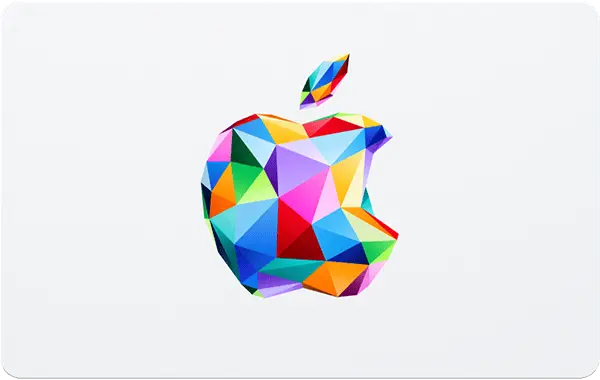
An iTunes / Apple Gift Card (ID) provides a fast, safe, and convenient way to top up your Indonesian Apple Account balance without needing a local credit card. Use your IDR balance to purchase apps, games, in-app purchases, Apple Music subscriptions, iCloud+ storage, movies, and more across the App Store and iTunes Store.
1️⃣ Retrieve your digital iTunes Gift Card (ID) 16-digit code instantly from your REDX Game invoice panel.
2️⃣ Open the App Store app on your iPhone, iPad, or Mac device.
3️⃣ Tap your Profile icon / Photo in the top right corner and select Redeem Gift Card or Code.
4️⃣ Choose Enter Code Manually, enter your 16-digit code accurately, and tap Redeem.
⚠️ Important Notice
This digital redeem code is strictly region-locked to Apple Accounts / Apple IDs registered under the Indonesia (IDR) region.
Open the App Store on your Apple device, tap your Profile icon, tap your Name/Email, and select Country/Region. Verify that your storefront currency is set to Indonesia (IDR / Rp).
Gift card codes from Indonesia cannot be redeemed on US, Malaysia, or other regional Apple Accounts. Once generated, digital codes are delivered instantly and are completely non-refundable. For any assistance, please contact our admin on WhatsApp.
Reload your Indonesian Apple Account wallet instantly to access millions of digital entertainment options! Unlock premium mobile games, top up in-game currencies (such as MLBB Diamonds or Genshin Impact Genesis Crystals), subscribe to Apple Music or iCloud+, and download your favorite iOS apps effortlessly!
Reviews from REDX buyers of other games
E-wallets: Touch 'n Go eWallet, Boost, GrabPay, ShopeePay, MAE QR
Online banking: DuitNow QR (all Malaysian banks)
REDX Credit: zero gateway fee, instant checkout
No. iTunes / Apple Gift Cards are strictly region-locked to the specific country/currency of your Apple Account. An Indonesia (IDR) code can only be redeemed on an Apple ID registered in the Indonesia region.
Open the App Store on your Apple device, tap your Profile icon, and check the currency displayed in the store. If prices are shown in Rupiah (IDR / Rp), your account is set to the Indonesia region.
You can use your IDR balance to buy apps, games, in-app purchases (like MLBB Diamonds or Genshin Impact Genesis Crystals), subscribe to Apple Music, iCloud+ storage, and purchase movies or books across Apple's digital stores.
No. Apple Gift Cards do not have an expiration date, allowing you to redeem the code whenever you wish.