





Free Fire (Malaysia/Singapore)17 Nov 2026
Fast delivery, Will buy again
A., verified purchase

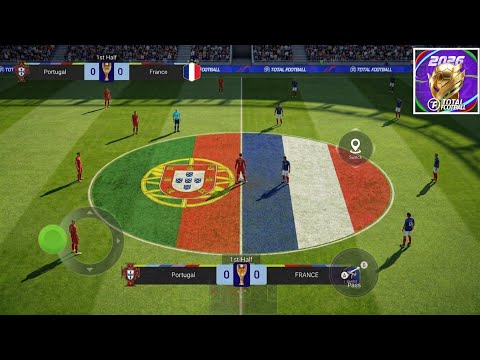
Total Football is a free-to-play tactical mobile soccer game developed by GALA SPORTS and licensed by FIFPro, where realistic console-level graphics meet smooth touch controls. Every match is a test of positioning, strategy, and reflexes, build your ultimate dream squad, deploy smart formations, and dominate global leagues to claim victory.
1️⃣ Enter your Character ID and select your Server (Tap your profile picture/avatar frame in the top-left corner of the main lobby to locate and copy your ID details).
2️⃣ Select your preferred TF Points (TFPs) denomination.
3️⃣ Complete checkout with your preferred payment method.
4️⃣ Your TF Points will be delivered directly to your in-game mail account balance shortly.
⚠️ Important Notice: This top-up service is exclusively for Malaysia / compatible SEA region accounts only.
How to check your account region: Check your in-game store currency, if bundle item pack prices are displayed in RM (Ringgit Malaysia), your account is compatible.
Please ensure you enter the correct Character ID and choose the right Server before completing your purchase to avoid delivery delays. For any assistance, please contact our admin in live chat.
Experience an authentic mobile soccer simulation featuring officially licensed teams, realistic pitch mechanics, and an advanced Neural Network AI engine that raises the realism of player positioning and dynamic movements. Take full command of your franchise by signing world-renowned superstars, customizing your team kits, and mastering touch controls to outplay your rivals.
Compete across a variety of immersive game-modes including a deep Career path, high-tier Alliance events, and intense real-time multiplayer PvP matches. Top up TF Points to bypass progression limits, buy high-value agent contract player packs, instantly acquire gold/coins, and upgrade your club facilities to build an unstoppable legacy
Reviews from REDX buyers of other games
A., verified purchase
Sangat cepat dan pantas tak sampai 1 detik je dh masuk sangat recommend
U., verified purchase
Takes about 3 - 6 minutes
L., verified purchase
A., verified purchase
L., verified purchase
A., verified purchase
Prices in ringgit, as shown on this page on 17 November 2026.
| Pack | Price |
|---|---|
| 32 TF Point Package | RM 11.47 |
| 52 TF Point Package | RM 19.50 |
| 100 TF Point Package | RM 36.48 |
Follow these quick and simple steps to reload your account:
1️⃣ Log into the game and tap your player profile avatar in the top-left corner of the main lobby screen.
2️⃣ Locate and copy your unique numeric Character ID, and note your active game Server.
3️⃣ Paste your Character ID above, choose your Server, select your desired TF Points denomination, and complete checkout.
E-wallets: Touch 'n Go eWallet, Boost, GrabPay, ShopeePay
Online banking: DuitNow QR (all Malaysian banks) REDX Credit: zero gateway fee, instant checkout
Open the game and enter the main menu interface. Tap your profile picture/avatar frame in the upper-left corner of the lobby screen to open your Personal Info card. Your unique numeric Character ID and current Server will be displayed there.
TF Points are the premium currency used to purchase elite agent contracts for top-tier superstar player packs, acquire instant Euro gold/coins, buy custom team kits, and upgrade your stadium facilities.
Recharges are delivered via our automated system once a payment goes through. Completed orders are permanent and cannot be reversed or transferred, so verify your character details closely before buying.
Your TF Points are typically credited to your account balance within a few moments of a successful checkout. If they do not appear immediately, check your in-game mail, completely restart the app, or message our admin in live chat.