

Mobile Legends Malaysia16 Nov 2026
Good price, Fast delivery, Easy to use, Will buy again
A., verified purchase
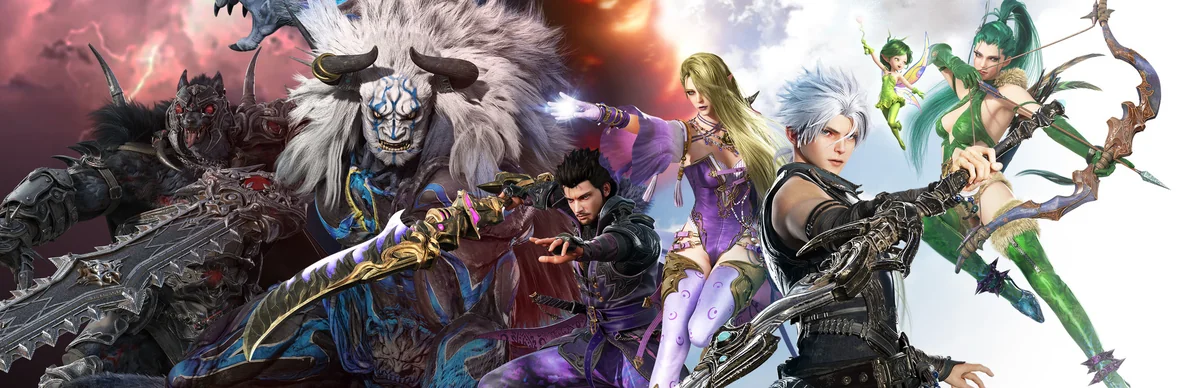
Eternal Kingdom Battle Peak is Free-to-play 3D fantasy MMORPG developed by Asobimo, Inc. and published by Asobimo, Inc. Released in 2022. Available on PC (Steam / Windows), iOS, Android, PlayStation.
Eternal Kingdom Battle Peak is a free-to-play MMORPG by Asobimo that uses Black Stones (BS) as its main paid currency, plus bonus White Stones (WS). Players top up Black Stones to spend in the Shop and on Arclore gacha. Buy a Black Stone top-up, log in to your Asobimo/EKBP account, and the stones are credited to spend in-game.
Black Stones (BS) / White Stones (WS) is the in-game currency used for Black Stones spent in the in-game Shop, Arclore (Arclore Gacha) summons using Black or White Stones, Convenience and 'Useful' features in-game, White Stones (bonus/extra) for gacha and utility functions. Top up via the gift cards below to convert MYR into the right store credit for your game.
Reviews from REDX buyers of other games
A., verified purchase
so good
A., verified purchase
M., verified purchase
J., verified purchase
Mantap service laju
A., verified purchase
M., verified purchase
Eternal Kingdom Battle Peak does not offer a direct Malaysian Ringgit top-up portal. The fastest and safest route is a region-appropriate gift card: buy it from REDX Game in MYR, redeem the code in your platform store, then use that balance to purchase Black Stones (BS) / White Stones (WS).
TNG eWallet, Boost, GrabPay, ShopeePay, DuitNow QR, Online Banking (FPX), and REDX Credit. Gift card codes are delivered instantly after payment.
The game launched worldwide on PC and mobile by Asobimo, so Malaysian players can play it; the Black Stone top-up is tied to your Asobimo/game account rather than a region store.
Yes. Buy the Black Stone top-up on REDX using TNG eWallet, Boost, GrabPay or DuitNow, then redeem the code or have stones credited to your account.
Black Stones (the paid currency) are spent in the Shop and on Arclore gacha and useful features; White Stones are bonus currency used for gacha and utility functions.
After payment you receive a top-up code or direct credit; redeem on the Asobimo/EKBP portal, then open the in-game Shop where your Black Stone balance is shown to spend.