




Free Fire (Malaysia/Singapore)17 Nov 2026
Fast delivery, Will buy again
A., verified purchase
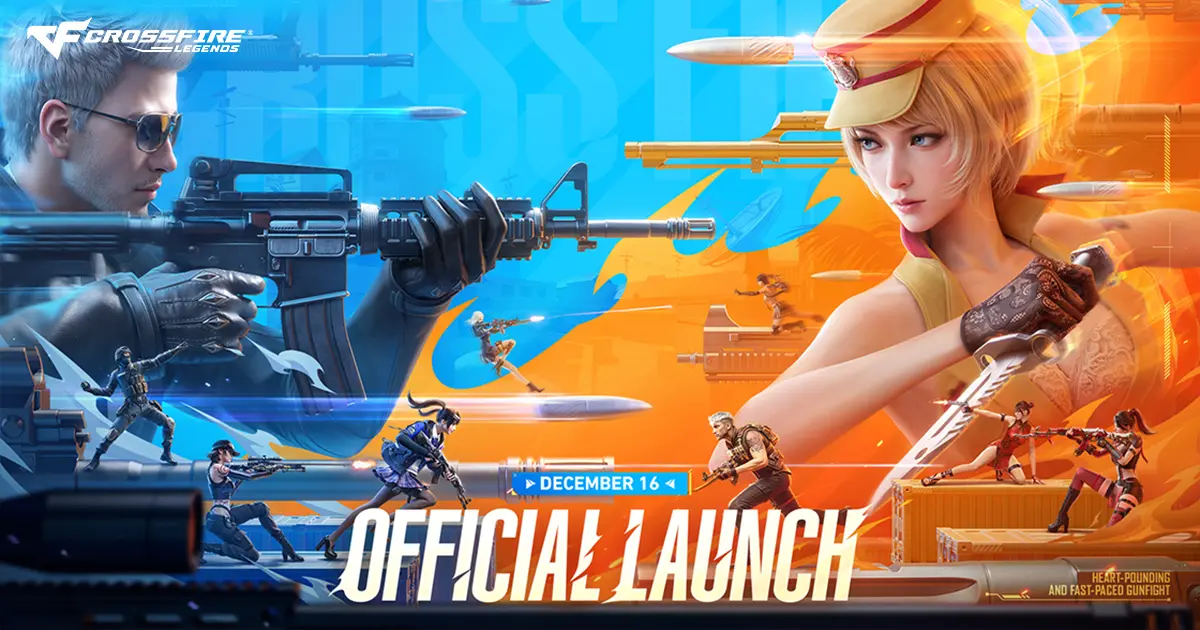
Crossfire: Legends is a free-to-play, fast-paced tactical mobile FPS that brings the classic PC shooter experience straight to your screen. Choose your side between Global Risk and Black List, coordinate with your squad across a massive variety of competitive PvP modes, and dominate the battlefield with ultra-responsive combat controls.
1️⃣ Enter your User ID (UID) (found by logging into your account and tapping your Profile Icon in the top-left corner of the main lobby screen).
2️⃣ Select your preferred Crossfire Coins denomination.
3️⃣ Complete checkout with your preferred payment method.
4️⃣ Your Crossfire Coins will be delivered directly to your account balance near-instantly.
⚠️ Important Notice:
This top-up channel is fully compatible with the Southeast Asia (SEA) version of the game. Please double-check your User ID (UID) closely inside the game client before placing your order, as automated recharges cannot be reversed or refunded if delivered to an incorrect player profile. For any assistance, please contact our admin in live chat.
Experience the definitive mobile arena shooter featuring immersive 5v5 Search & Destroy maps, chaotic Team Deathmatch arenas, and unique gameplay variations like Mutation Mode. Collect, customize, and master a massive arsenal of high-caliber military firearms with smooth handling profiles tailored for precise performance across every competitive game mode.
Top up Crossfire Coins to instantly purchase premium tactical loadouts, unlock rare weapon skins, bypass resource barriers, and grab exclusive seasonal item bundles. Lock in your loadout, form your strategy, and cross into the fire today!
Reviews from REDX buyers of other games
A., verified purchase
Sangat cepat dan pantas tak sampai 1 detik je dh masuk sangat recommend
U., verified purchase
Takes about 3 - 6 minutes
L., verified purchase
A., verified purchase
L., verified purchase
A., verified purchase
Prices in ringgit, as shown on this page on 17 November 2026.
| Pack | Price |
|---|---|
| 10 Crossfire Coins | RM 0.53 |
| 11 Crossfire Coins (10 + 1 Bonus) | RM 0.53 |
| 33 Crossfire Coins (30 + 3 Bonus) | RM 1.66 |
| 30 Crossfire Coins | RM 1.69 |
| 66 Crossfire Coins (60 + 6 Bonus) | RM 3.43 |
| 60 Crossfire Coins | RM 3.47 |
| 132 Crossfire Coins (120 + 12 Bonus) | RM 6.22 |
| 120 Crossfire Coins | RM 6.30 |
| 198 Crossfire Coins (180 + 18 Bonus) | RM 8.91 |
| 180 Crossfire Coins | RM 9.03 |
| 330 Crossfire Coins (300 + 30 Bonus) | RM 16.37 |
| 300 Crossfire Coins | RM 16.58 |
| 550 Crossfire Coins (500 + 50 Bonus) | RM 24.65 |
| 500 Crossfire Coins | RM 24.98 |
| 748 Crossfire Coins (680 + 68 Bonus) | RM 32.94 |
E-wallets: Touch 'n Go eWallet, Boost, GrabPay, ShopeePay
Online banking: DuitNow QR (all Malaysian banks)
REDX Credit: zero gateway fee, instant checkout
Log into the game client and tap on your main profile character avatar located in the upper left-hand corner of the main lobby screen. Your unique numeric User ID (UID) will be clearly listed inside the profile panel.
Crossfire Coins are the primary premium in-game currency. They are used to purchase rare high-tier weapon skins, acquire custom weapon crates, unlock premium tactical utility loadouts, and access limited-time seasonal event rewards.
No, this specific top-up channel is dedicated strictly to the Southeast Asian (SEA) version of Crossfire: Legends. Please ensure your active character profile is registered to the SEA variant before completing your checkout to ensure perfect delivery.
Recharges are completely automated and typically credit your account balance within moments of a successful payment. If your balance does not update within 5 minutes, please try fully closing the app and relaunching it to refresh your server profile. For any further order assistance, reach out to our admin in live chat.